.jpg)
.jpg)
.jpg)
.jpg)

Download Super Dark Mode – Free Dark Theme Browser Extension for Eye‑Care
Overview: Why Super Dark Mode Is a Must‑Have Tool for Modern Browsers
In today’s digital world, we spend countless hours scrolling through web pages, watching videos, and reading articles. The constant glare from bright white backgrounds can strain our eyes, especially during late‑night sessions or in low‑light environments. Super Dark Mode steps in as a lightweight, user‑friendly web extension that flips the color scheme of popular websites from a harsh white to a soothing black. By doing so, it reduces eye fatigue, improves focus, and makes the browsing experience more comfortable for users with sensitive eyes.
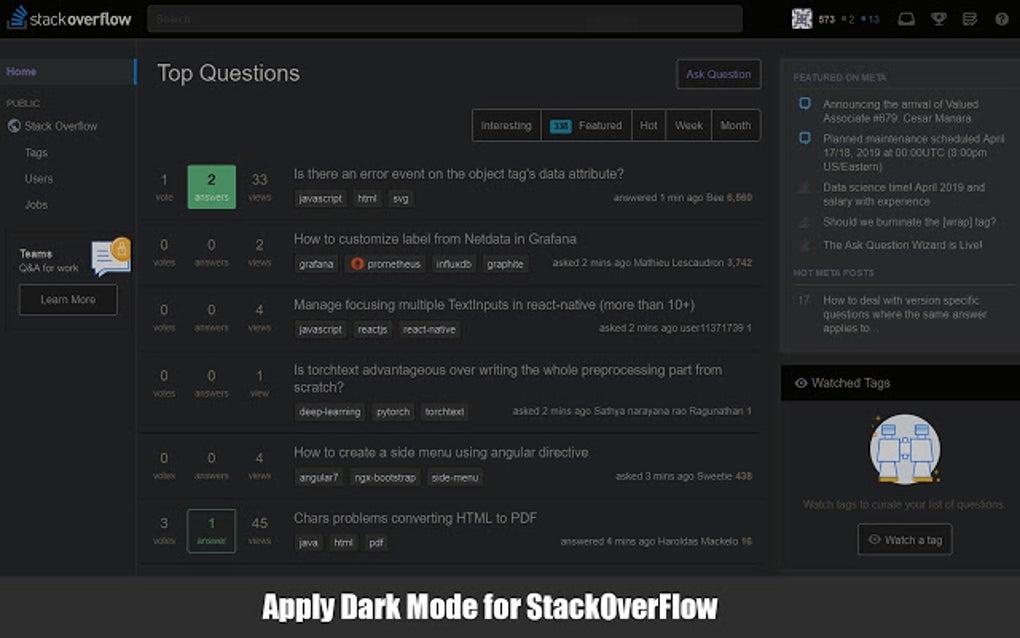
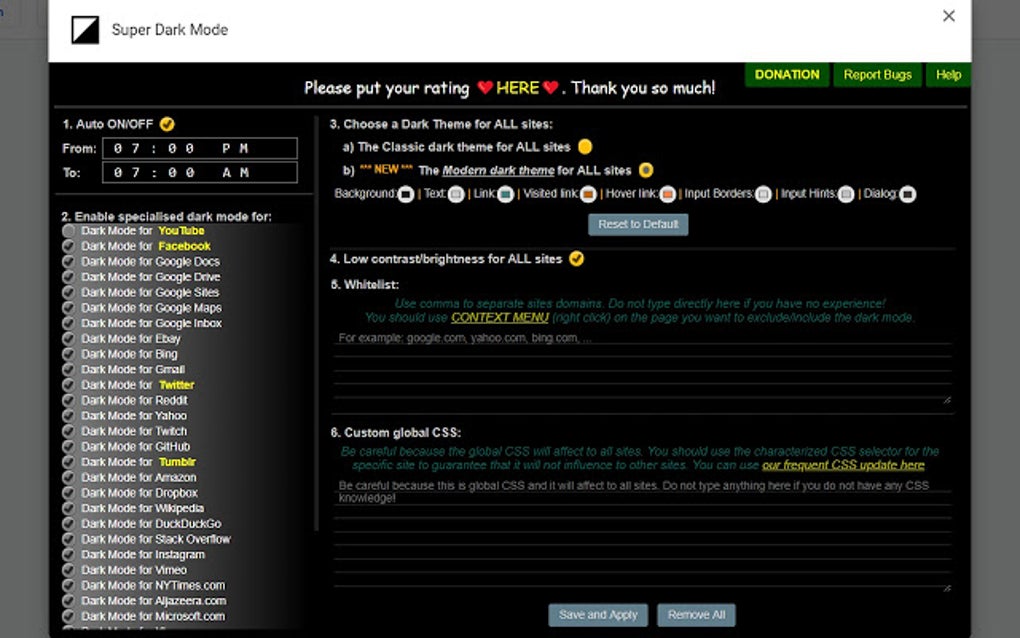
Unlike generic dark‑mode plugins that attempt to recolor every site indiscriminately, Super Dark Mode focuses on a curated list of the most visited platforms—including YouTube, Wikipedia, Facebook, and even Google Search. Once installed, the extension displays a clear checklist of supported sites, allowing you to toggle dark mode on or off with a single click. This granular control ensures that the dark theme is applied only where it works best, preserving readability and visual integrity.
The extension is completely free, regularly updated, and respects your privacy—no data collection, no ads, just a pure visual enhancement. Whether you are a student burning the midnight oil, a professional juggling multiple tabs, or simply someone who prefers a darker aesthetic, Super Dark Mode offers a seamless way to protect your eyes without compromising on functionality.
Key Features & Benefits of Super Dark Mode
- Automatic dark theme for YouTube, Wikipedia, Facebook, Google Search, and many other high‑traffic sites.
- Simple on/off toggle for each supported website via an intuitive checkbox list.
- One‑click activation—no complex settings or manual CSS editing required.
- Lightweight codebase that does not slow down page loading times.
- Free of advertisements, trackers, and unnecessary permissions.
- Regular updates that add new sites and improve compatibility.
- Cross‑browser support for Chrome, Edge, Firefox, and Chromium‑based browsers.
Benefits You’ll Notice Instantly
- Reduced eye strain: Dark backgrounds emit less blue light, helping you stay comfortable during extended browsing sessions.
- Improved focus: Dark mode minimizes visual distractions, allowing you to concentrate on content.
- Battery savings on OLED screens: Black pixels consume less power, extending laptop or mobile device battery life.
- Stylish look: Gives your favorite websites a sleek, modern appearance that matches many OS‑level dark themes.
- Customizable per site: Turn dark mode off for sites where you need a bright background, preserving flexibility.
Installation, Usage & Compatibility Guide
Getting Super Dark Mode up and running is straightforward. Follow these steps to install the extension on your preferred browser:
- Visit the official Chrome Web Store (or the Edge Add‑ons store, Firefox Add‑ons site) and search for “Super Dark Mode”.
- Click the “Add to Chrome” (or equivalent) button and confirm the permission request.
- Once installed, the extension’s icon appears next to your address bar. Click it to open the control panel.
- In the panel, you’ll see a checklist of supported websites. Check the box next to any site you wish to view in dark mode.
- Refresh the page (or navigate to the site) and the dark theme will be applied instantly.
Usage tips: The extension remembers your preferences per site, so you only need to set the toggle once. If a website is not listed, you can manually request its addition via the “Suggest a site” button in the panel. Updates are pushed automatically, ensuring you always have the latest site support.
Compatibility: Super Dark Mode works on Windows, macOS, Linux, as well as Android and iOS browsers that support Chrome extensions (e.g., Kiwi Browser on Android). It is compatible with the latest versions of Chrome, Edge, Firefox, and other Chromium‑based browsers. System requirements are minimal—a modern browser and an internet connection are all that’s needed.
Frequently Asked Questions & Final Thoughts
Is Super Dark Mode completely free?
Yes, the extension is 100 % free to download and use. There are no hidden fees, subscription plans, or in‑app purchases.
Will Super Dark Mode collect my browsing data?
No. The extension does not request permissions to read or transmit personal data. It only modifies the visual style of supported pages locally on your device.
Can I add sites that are not on the default list?
Absolutely. Use the “Suggest a site” option in the extension’s control panel. The developers review suggestions and regularly expand the supported list.
What are the main drawbacks of using Super Dark Mode?
While the extension covers many popular sites, it does not affect every website on the internet. Some complex web apps may experience minor visual glitches when forced into dark mode.
How often is the extension updated?
The development team releases updates roughly every 4‑6 weeks, adding new site support, fixing bugs, and improving performance.
Conclusion – Give Your Eyes a Break Today
Super Dark Mode delivers a focused, eye‑friendly browsing experience without the bloat of heavyweight themes. Its simple toggle system, extensive site coverage, and zero‑cost model make it an ideal choice for anyone who spends long hours online. While it may not yet support every corner of the web, the continuous updates and community‑driven site suggestions ensure that the list will keep growing.
Ready to protect your eyes and enjoy a sleek dark interface? Free download Super Dark Mode now and experience a more comfortable internet—your eyes will thank you.







